Photo/Video Picker
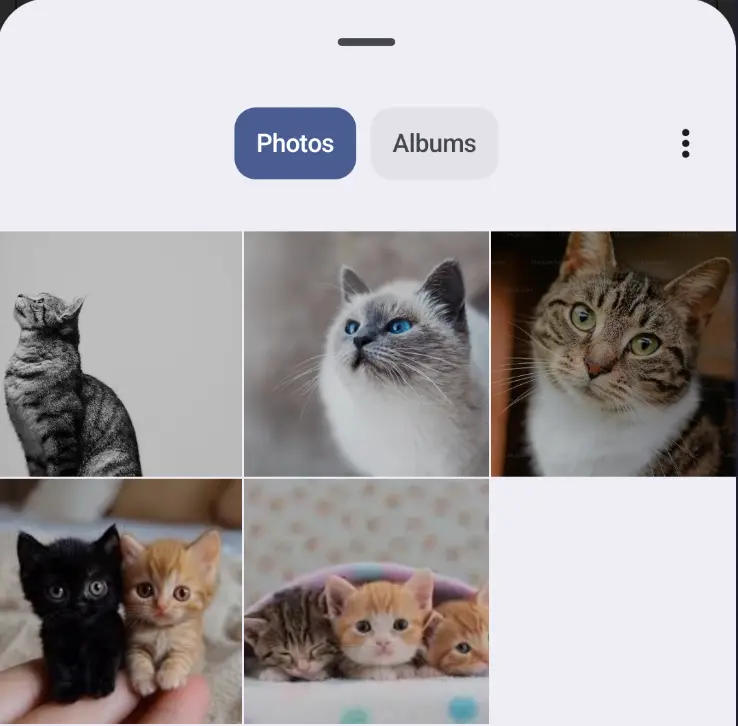 Use the
 rememberLauncherForActivityResult(ActivityResultContracts.PickVisualMedia()) method to create a launcher for image picker. Alternatively, you can replace the result contracts with PickMultipleVisualMedia() to allow the user to select more than one image.
- Create launcher
- Example decode image via
BitmapFactory
val pickMedia = rememberLauncherForActivityResult(ActivityResultContracts.PickVisualMedia()) { uri -> uri?.let { uri -> bitmap = context.contentResolver.openInputStream(uri)?.let { BitmapFactory.decodeStream(it) } } }- Decode the image using
ImageDecoder(better practice for large images).
val pickMedia = rememberLauncherForActivityResult(ActivityResultContracts.PickVisualMedia()) { uri -> uri?.let { uri -> val source = ImageDecoder.createSource(context.contentResolver, uri) bitmap = ImageDecoder.decodeBitmap(source) } }- Launch the application and specify the type of media you want to play (Image, Video, or both)
pickMedia.launch(PickVisualMediaRequest(ActivityResultContracts.PickVisualMedia.ImageOnly))File Picker
Section titled “File Picker”Similar to the previous example, but it allows you to select all files, not just images or videos
val filePicker = rememberLauncherForActivityResult(ActivityResultContracts.GetContent()) { it?.let { uri -> bitmap = context.contentResolver.openInputStream(uri)?.let { inputStream -> BitmapFactory.decodeStream(inputStream) } }}Specify the file type of the selection via the launcher.
If you use the
image/*selection type on newer operating systems, you’ll get the same photo/video picker as shown above.
filePicker.launch("image/*")